Duplicate Data Source
This page explains duplicating a data source via the Duplicate action in the Pirivision Port module.
Duplicate is used to create a new data source with similar connection info without re-entering all parameters. It is ideal when connecting to a different database on the same server, or when you want to use the same connection in a different folder.
1. Find the Data Source in the Port List
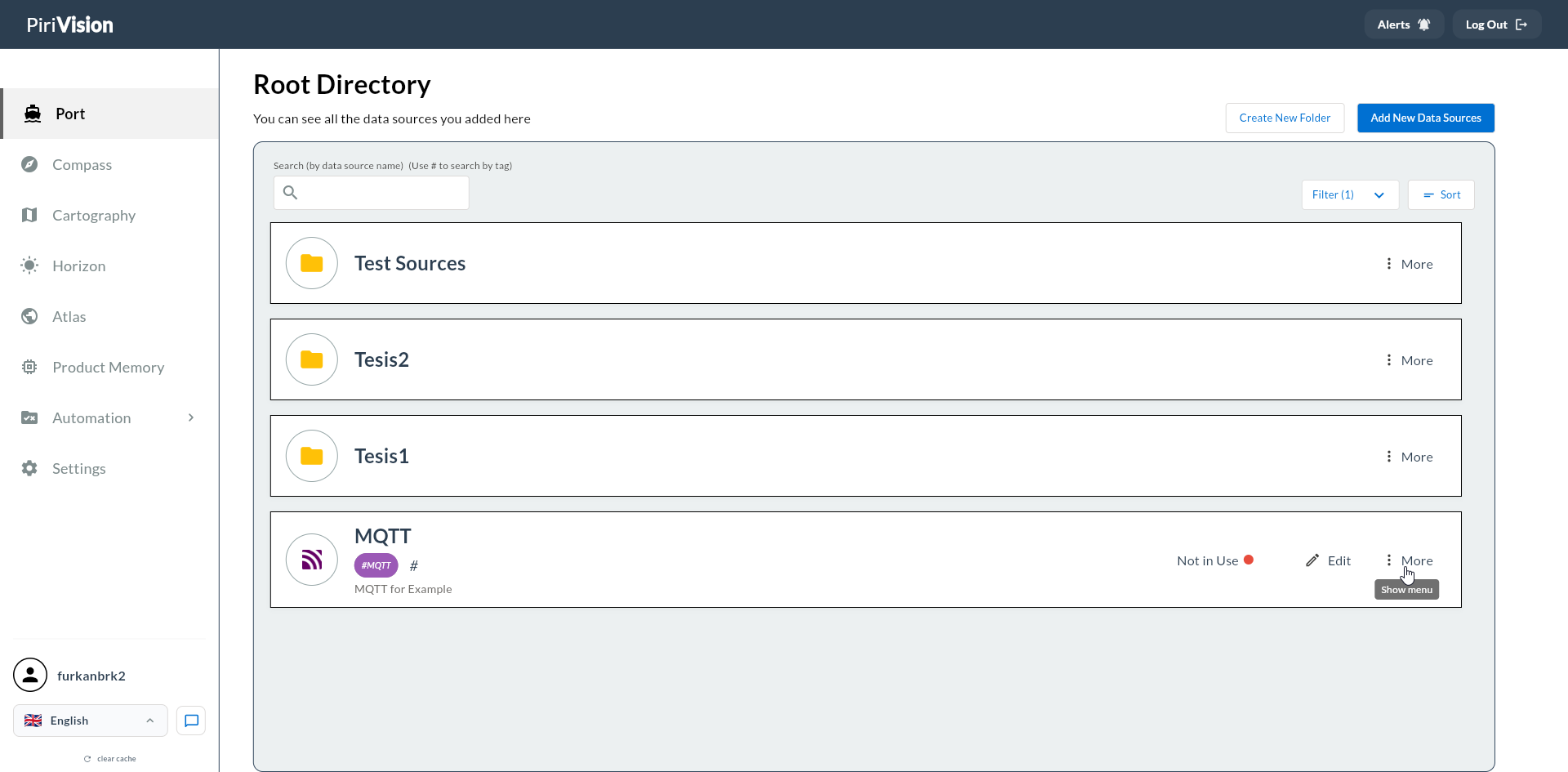
Click Port in the left menu. Find the data source you want to copy in the list.
2. Open the More Menu
Click the More (three dots) button on the right side of the data source card.
In the menu that opens, click Duplicate.
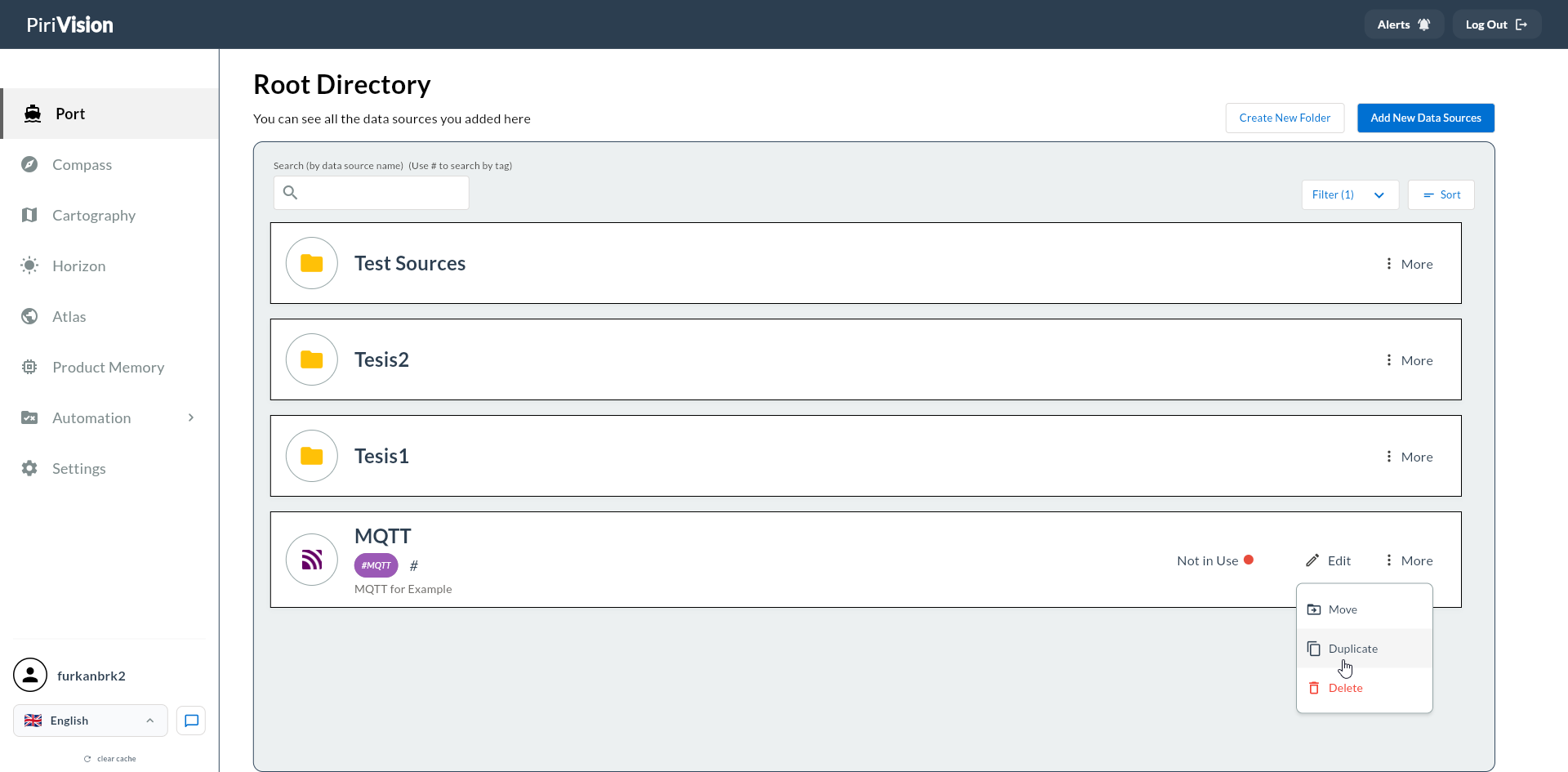
No confirmation dialog appears; the action starts immediately.
3. Copy is Created
The system automatically creates a new data source.
Automatic Name Generation
| Original Name | Copy Name |
|---|---|
Process DB |
Process DB (copy) |
Process DB (copy) |
Process DB (copy 2) |
Process DB (copy 2) |
Process DB (copy 3) |
If the name is already taken, the system automatically finds the next free number.
Copied Fields
| Field | Status |
|---|---|
| Type (PostgreSQL, MSSQL, etc.) | Copied |
| Database Name, Host, Port, Schema | Copied |
| Username, Password | Copied (encrypted) |
| Description | Copied |
| Tags | Copied |
| Name | New name created with (copy) suffix |
| Create / Update Date | New date assigned (NOW()) |
Non-Copied Field
Folder Location Not Copied
The duplicate is always created under Root Directory (the PORT root folder), not in the source's folder.
To move the copy to your desired folder, see Move Data Source.
4. Copy Appears in Port List
When the operation completes, the copy is listed in Root Directory.
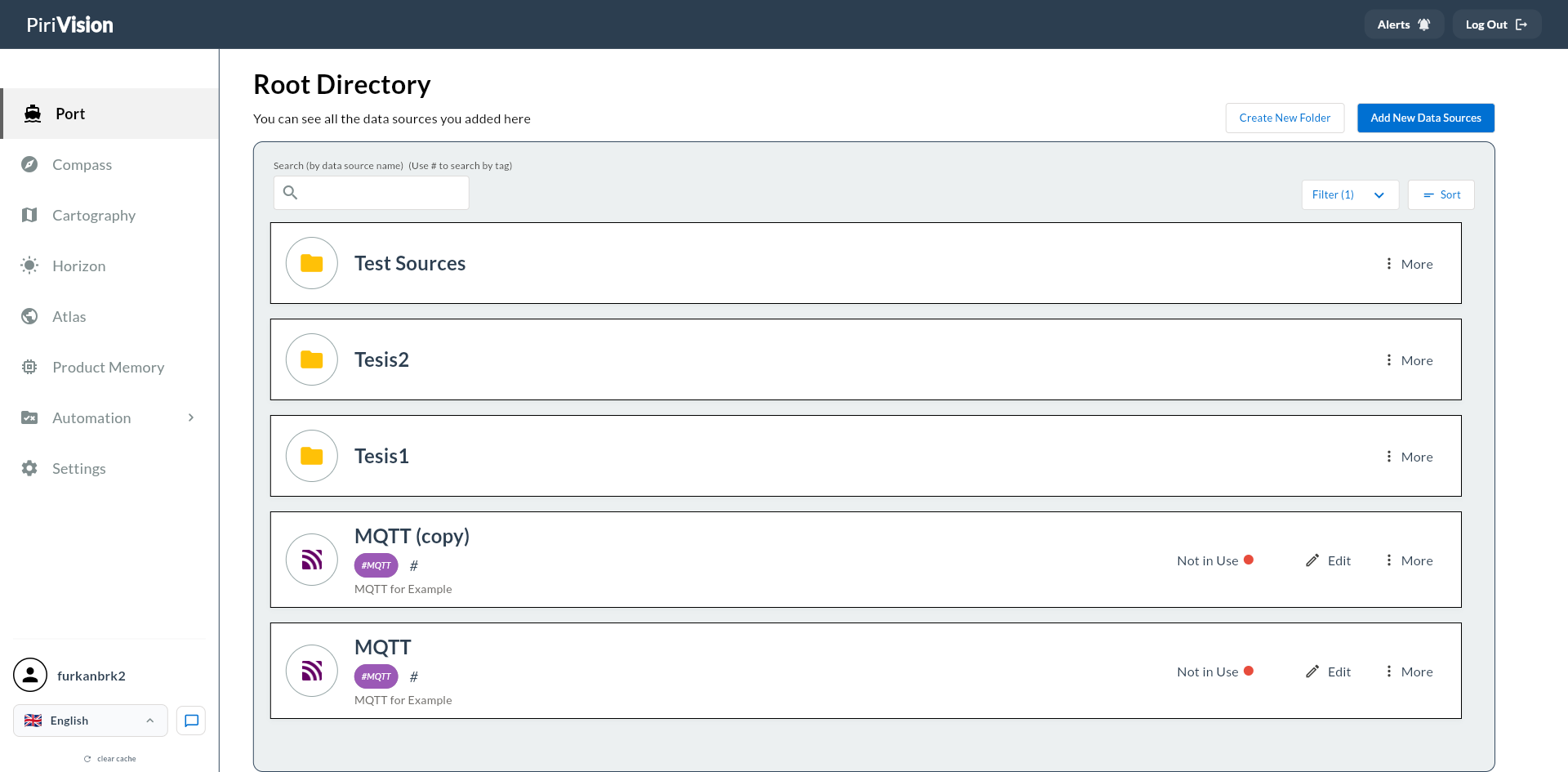
| Field | Copy's State |
|---|---|
| Usage Status | Not in Use — no Compass queries are bound yet |
| Name | {original name} (copy) |
| Connection Parameters | Same as the original |
5. Next Step
Typical workflow after creating a copy:
- Use Edit on the copy to give it a new name and/or different connection parameters.
- If needed, use Move to place it in the relevant folder.
- Create a new query in Compass and pick this copy as the data source.
6. Common Errors
| Error / Symptom | Possible Cause | Solution |
|---|---|---|
source datasource not found |
The source data source was deleted | Refresh the Port list |
user not found |
Session expired | Log in again |
| Copy not visible in list | Filter or search active | Clear filter and search text; go to Root Directory |