Dynamic Text
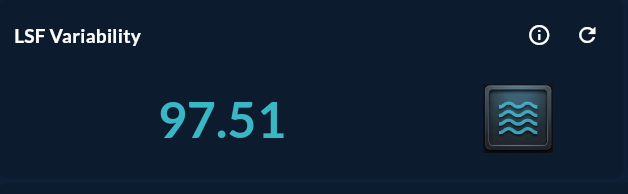
Dynamic Text is a KPI card that shows a single value returned from a Compass record as large-format text. Used for single-number indicators such as instant temperature, the latest OEE value, or shift production count.
Prerequisite
This chart type can only be selected in step 2 of the Cartography Widget Wizard. If you have not started widget creation, start the wizard first; an appropriate Compass record is also required.
When to Use
| Scenario | Displayed Value |
|---|---|
| Instant kiln temperature | 847 °C |
| Last update time | 14:32:05 |
| Current OEE value | 82.4% |
| Shift total production | 1,250 pcs |
| Active alarm count | 3 |
Data Structure
The Compass record should return a single row. If multiple rows are returned, the first row is used.
| Column | Type | Description |
|---|---|---|
| Y column | NUMERIC / TEXT |
Value to display |
-- Example: instant temperature
SELECT ROUND(AVG(temperature), 1) AS avg_temperature
FROM sensor_data
WHERE ts >= NOW() - INTERVAL '5 minutes';
Wizard Configuration
Step 4 — Axis Config (Dynamic Text)
Only Y Axis Column is filled. The X column is irrelevant.
| Field | Value |
|---|---|
| Y Axis Column | avg_temperature |
Step 7 — General Design (Dynamic Text-specific)
| Field | Description |
|---|---|
| Value Format | Number format: {0:N1}, {0:P0}, {0} °C |
| Prefix | Fixed text written to the left of the value |
| Suffix / Unit | Unit written to the right of the value (°C, bar, pcs) |
| Font Size | Value text size |
| Text Color | Default / Conditional color |
| Conditional Color Rule | Color change when threshold exceeded (e.g. > 900 → Red) |
| Icon | Optional icon at the top of the card |
Conditional Color Usage
The text color changes automatically when the value exceeds a certain threshold:
| Rule | Color |
|---|---|
value > 90 °C |
Red |
value > 75 °C |
Yellow |
| Otherwise | Green |
This feature is configured under General Design → Conditional Color Rule.
Tips
- Use
LIMIT 1andORDER BY ts DESCin the query — always show the most recent value. - Use the
Suffixfield for the unit; keeping it separate looks cleaner than formatting it together with the value. - Lower the Refresh Interval in Card Design to 5–15 seconds.
9-Step Summary — For Dynamic Text
Dynamic Text uses the Dynamic flow. Steps 5 and 6 are skipped.
| # | Step | Key point for Dynamic Text | Detail |
|---|---|---|---|
| 1 | Group Selection | Text | → |
| 2 | Chart Type | Dynamic Text card | → |
| 3 | Compass Record | Single row, single value (numeric/text) | → |
| 4 | Axis Config | Y Axis Column = value to display | → |
| 5-6 | (skipped) | — | — |
| 7 | General Design — Format | Format (Default/Percent/TL/USD/EUR/Pound), Icon, Wave | → |
| 8 | Card Design | Refresh: 0 (MQTT), 5-15s (live), 60-300s (KPI) | → |
| 9 | Display | Name, Tags, Folder | → |