Atlas
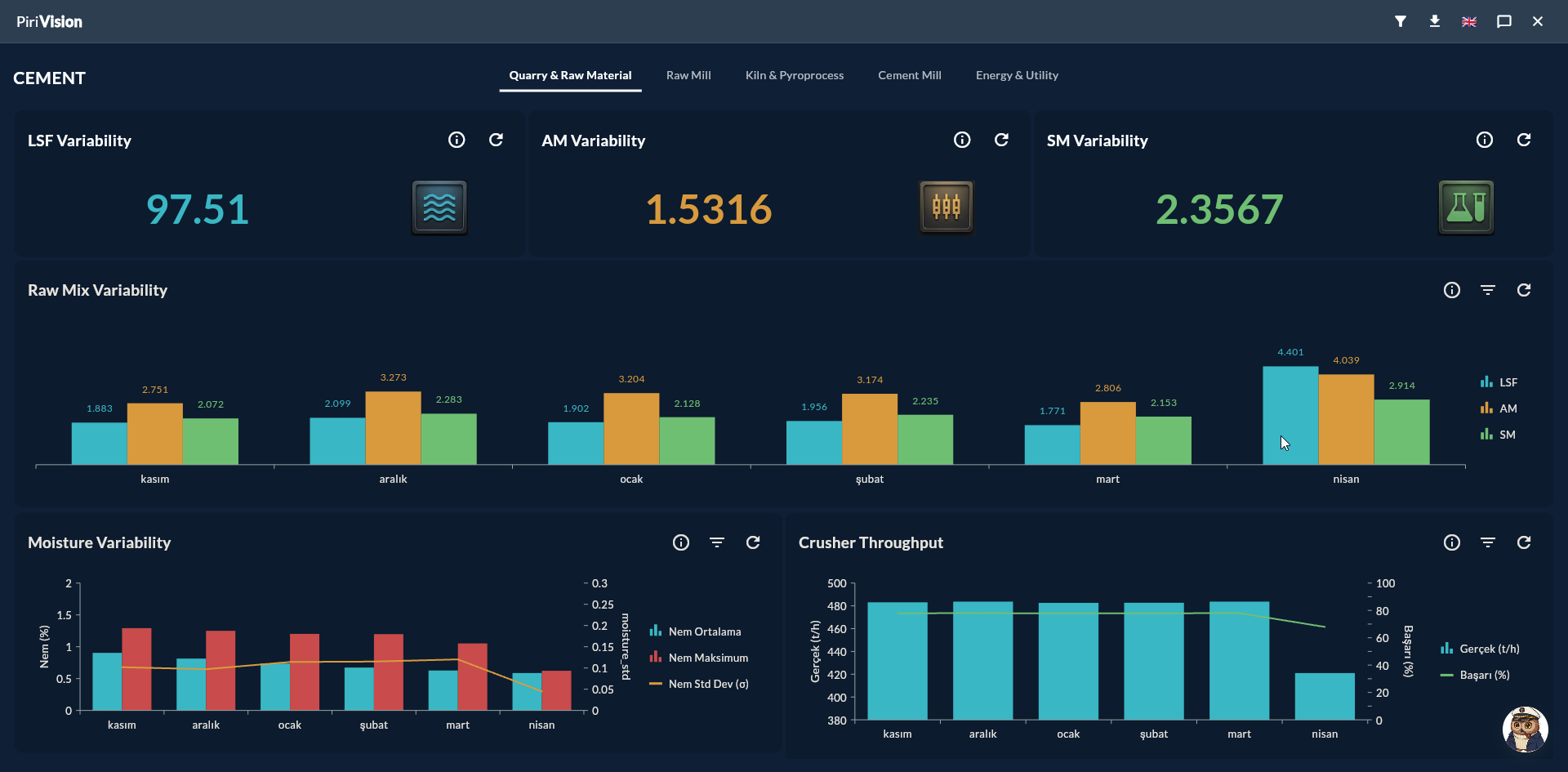
Atlas is Pirivision's advanced dashboard module using the V2 layout engine. It contains similar content to Horizon but offers a proportional grid (nx/ny/nw/nh ∈ [0,1]), public links, user sharing, iframe embed, and more flexible widget placement options. Atlas is preferred for complex, multi-widget dashboards that will be viewed on different devices or embedded into external systems.
flowchart LR
    A[Port<br/>Data Source] --> B[Compass<br/>Query]
    B --> C[Cartography<br/>KPI Widget]
    C --> D[Horizon<br/>Board V1]
    C --> E[Atlas<br/>Dashboard V2]
    E -.public link.-> F[Anonymous Viewer]
    E -.iframe.-> G[External Website]
What You Can Do in Atlas
| Action | Description | Guide |
|---|---|---|
| Create Dashboard | Set up a new Atlas dashboard | Create Dashboard |
| Widget Placement | Add and resize widgets using the V2 proportional grid | Widget Placement |
| Responsive Behavior | Automatic scaling on mobile/tablet/desktop | Responsive Behavior |
| Public Share | Generate a token-based link that requires no login | Public Share |
| User Share | Username-based sharing | User Share |
| Web Embed | Embed a dashboard into an external page | Web Embed |
| Folder / Management | Move, duplicate, delete | Management |
Atlas Routes
| Route | Purpose |
|---|---|
/atlas/list |
List screen (dashboards and folders) |
/atlas/dashboard?mode=create |
New dashboard |
/atlas/dashboard/<key>?dashboard_id=<id>&mode=edit |
Edit mode |
/atlas/dashboard/<key>?dashboard_id=<id>&mode=view |
View mode |
/atlas/public-dashboard/<token> |
Token-based public viewer (no login required) |
Atlas List Screen
The main /atlas/list screen contains the following components:
| Element | Description |
|---|---|
| Sidebar | Folder tree on the left edge |
| Breadcrumb | Current folder path |
| Search | Search by name / description |
| Filter | All / My Dashboards / Shared with Me |
| Sort | By name / creation / modification date |
| New Dashboard | Starts a new dashboard |
| Dashboard Cards | Card for each dashboard; Share/Edit/Duplicate/Move/Delete from the More menu |
| Folder Cards | Folders |
Prerequisite
KPI widgets must have been created in the Cartography module before using Atlas.
Horizon vs Atlas
| Feature | Horizon (V1) | Atlas (V2) |
|---|---|---|
| Layout Engine | Fixed cell (180 columns) | Proportional (nx/ny/nw/nh ∈ [0,1], 60 column base) |
| Max Widgets | 20 / board | Unlimited (practically) |
| Responsive | Limited | Fluid (auto-scaling) |
| Public Link | — | ✓ |
| Embed (iframe) | — | ✓ |
| User Share | ✓ | ✓ |
| Token Revoke | — | ✓ |
| Captain AI | ✓ | — |
| XLSX Export | ✓ | ✓ |
| Multi-page Dashboard | — | ✓ |
Which One?
- Operator panel, quick KPI → Horizon
- Public dashboard, mobile view, customer sharing → Atlas
- Embedded report page → Atlas
Next Step
Ecosystem & Related Modules
| Module / Feature | Relationship with Atlas |
|---|---|
| Ecosystem | General overview of Automation, Product Memory, and AI assistants |
| Automation | Connect dashboard widget data to rule-based alerts |
| Features — Global Variables | User-scoped variables in dashboard filters |
| Horizon | Faster and simpler board setup with Captain AI support |