Board Sharing
Horizon boards support per-user sharing. A board shared with a user appears with a Shared badge in that user's Horizon list and is viewable; edit permission stays with the owner. Shares are managed via HorizonCardShareDialog.
Prerequisite
At least one Horizon board you own must exist. You cannot share boards you do not own.
No Public Link
Horizon V1 does not support public (no-login) sharing or iframe embeds. Use the Atlas module for that.
1. Open the Share Dialog
In the Horizon list, click the More (three dots) menu on the board card → click Share.
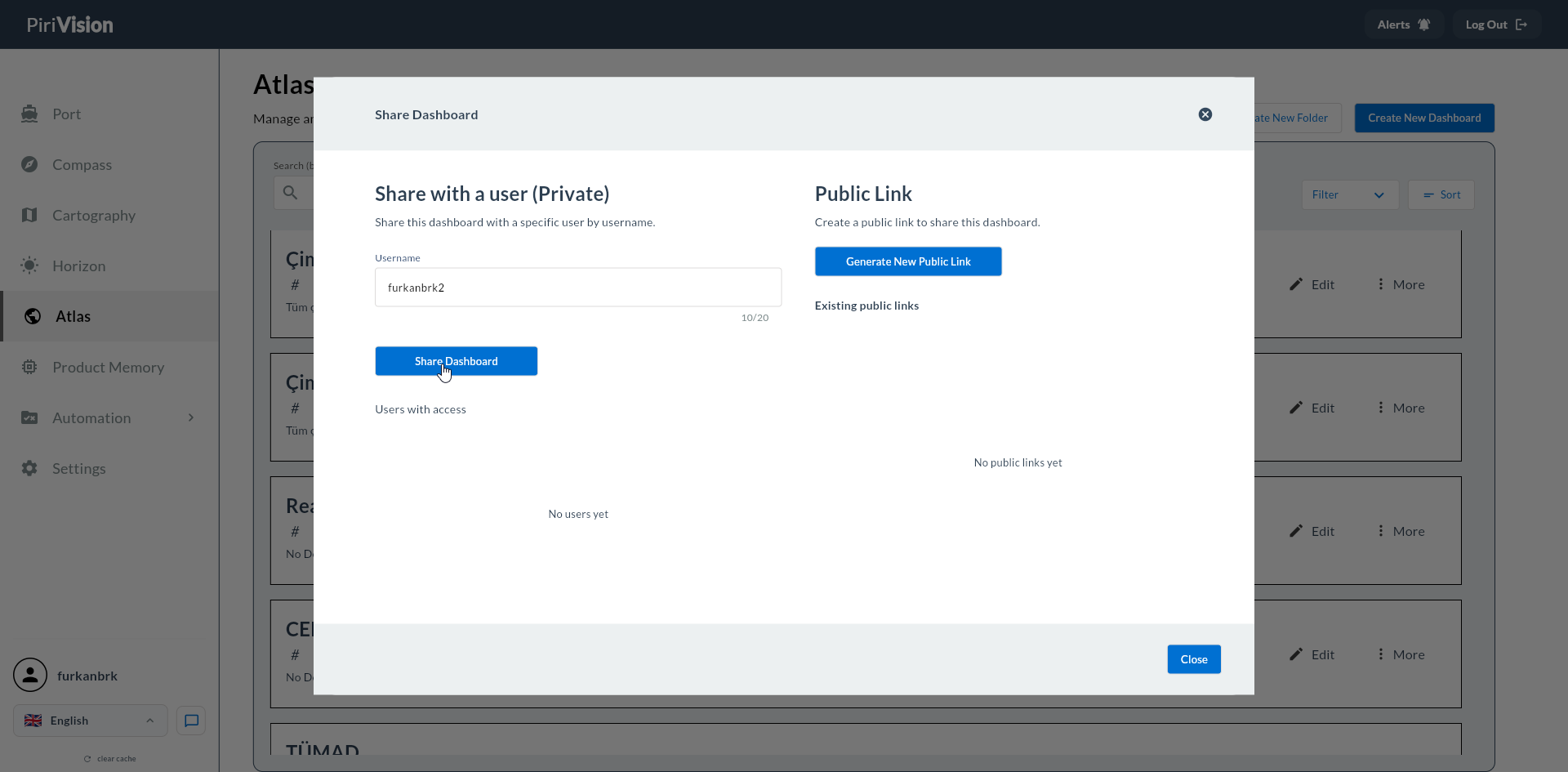
| Dialog Sections |
|---|
| Username search box |
| List of existing shares (usernames) |
| Remove icon on each row |
2. Add a User
| Step | Description |
|---|---|
| 1 | Type the username in the username box |
| 2 | Pick from the autocomplete list |
| 3 | Click Add to add to the list |
| 4 | Changes are written to the backend when the dialog is closed |
Multiple Users
A board can be shared with multiple users. Each user sees it independently in their list.
3. View on the Other Side
In the recipient's Horizon list:
| Behavior |
|---|
| A "Shared" badge appears on the card |
| "Shared with Me" can be selected as a list filter |
| The user can enter the board and view widgets but cannot edit them |
| Edit / Delete / Share actions are not visible on the card |
| Global filter and Captain AI are usable (per session) |
4. Removing a Share
In the share dialog, click the Remove icon next to the user row. The recipient instantly loses the board from their list.
Instant Removal
After Remove, the recipient may continue using the board if it is open in their browser; access closes when the page is refreshed.
5. Owner Privileges
| Action | Owner | Shared User |
|---|---|---|
| Viewing | ✓ | ✓ |
| Edit Mode | ✓ | — |
| Add/Remove Widget | ✓ | — |
| Delete Board | ✓ | — |
| Share / Unshare | ✓ | — |
| Global Filter (per session) | ✓ | ✓ |
| Captain AI | ✓ | ✓ |
6. Common Errors
| Symptom | Possible Cause | Solution |
|---|---|---|
| Username not found | Typo or user does not exist | Type the correct username; check backend user records |
| Recipient does not see the board | Cache not refreshed yet | Ask recipient to refresh the page |
| Share button is gray | You don't have permission (not the owner) | Only the owner can manage shares |
7. Comparison With Atlas
| Feature | Horizon | Atlas |
|---|---|---|
| Username sharing | ✓ | ✓ |
| Public link | — | ✓ |
| Embed (iframe) | — | ✓ |
| Token revoke | — | ✓ |
Atlas dashboards can produce public links, accessible without login. Horizon does not have this.